
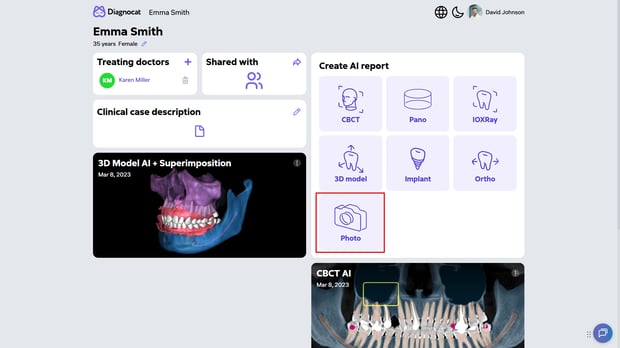
1. Direct Photo Upload
Faster access, fewer steps. You can now upload photos directly from the patient’s profile using the dedicated “Photo” icon.
This makes it quicker to add visual records without navigating away from the patient file, helping keep everything organized in one place.
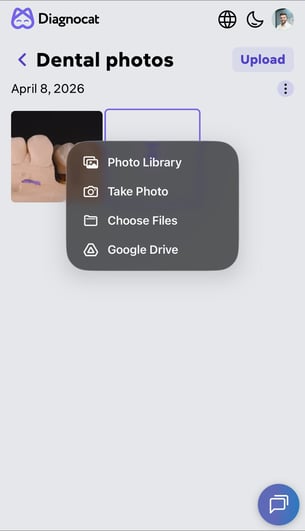
2. Mobile Synchronization
Capture and save in real time. When using a smartphone or tablet, the “Take a Photo” feature now lets you instantly capture and save images directly to the patient’s profile.
No extra steps. No delays. Just a more seamless way to document cases on the go.
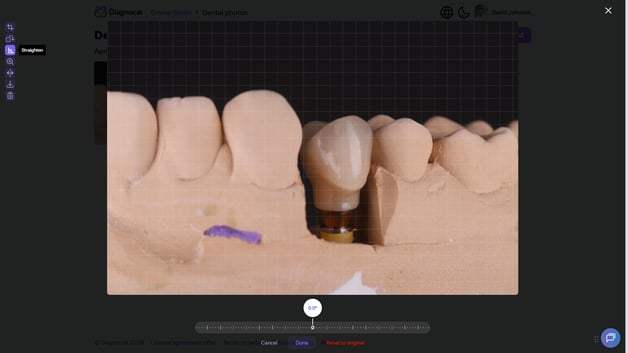
3. Built-in Photo Editor
Edit without leaving Diagnocat. You can now make quick image adjustments directly within the platform, removing the need for external tools. Available editing features include:
- Crop and zoom
- Rotate and flip
- Straighten (horizon correction)
This makes it easier to prepare and refine images for review or patient communication in seconds.
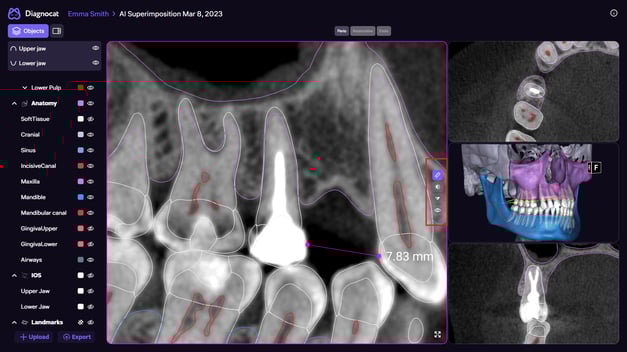
4. MPR Tool Improvements
More control. Better visibility. Applicable to: 3D Model (including superimposition), Implant Report, and Ortho AI Report
We’ve streamlined how you interact with MPR tools to improve both access and usability.
- Unified toolbar: All MPR tools are now grouped into a single toolbar that appears when you hover over any viewport
- New tools added: Alongside ruler and brightness/contrast, you can now use sharpness and hide all annotations
- Viewport management: You can now select any MPR window as the main view. Click “Expand” to move it to the central viewport, and click again for full-screen mode
These updates make it easier to focus on the details that matter during analysis.
5. Implant Report Improvements
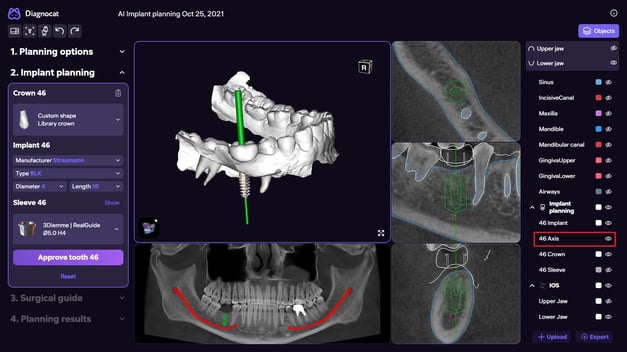
Clearer planning, less visual clutter. We’ve added the ability to toggle axes on and off in the 3D scene within the Implant Report.
This gives you more control over your visual field, especially when planning multiple implants, helping you stay focused without unnecessary distractions.
These updates are part of our ongoing commitment to refining Diagnocat, making your workflow faster, more intuitive, and better aligned with real clinical needs.